
Site-Wide GEO Analysis
Don't just audit your homepage. Read your sitemap, crawl up to 300 pages top-down, score each one, and see which pages help your AI search visibility and which ones drag the whole site down.
How this differs from single-page analysis
- Single-page — audits one URL you provide, returns 12-dimension scores plus fix recommendations.
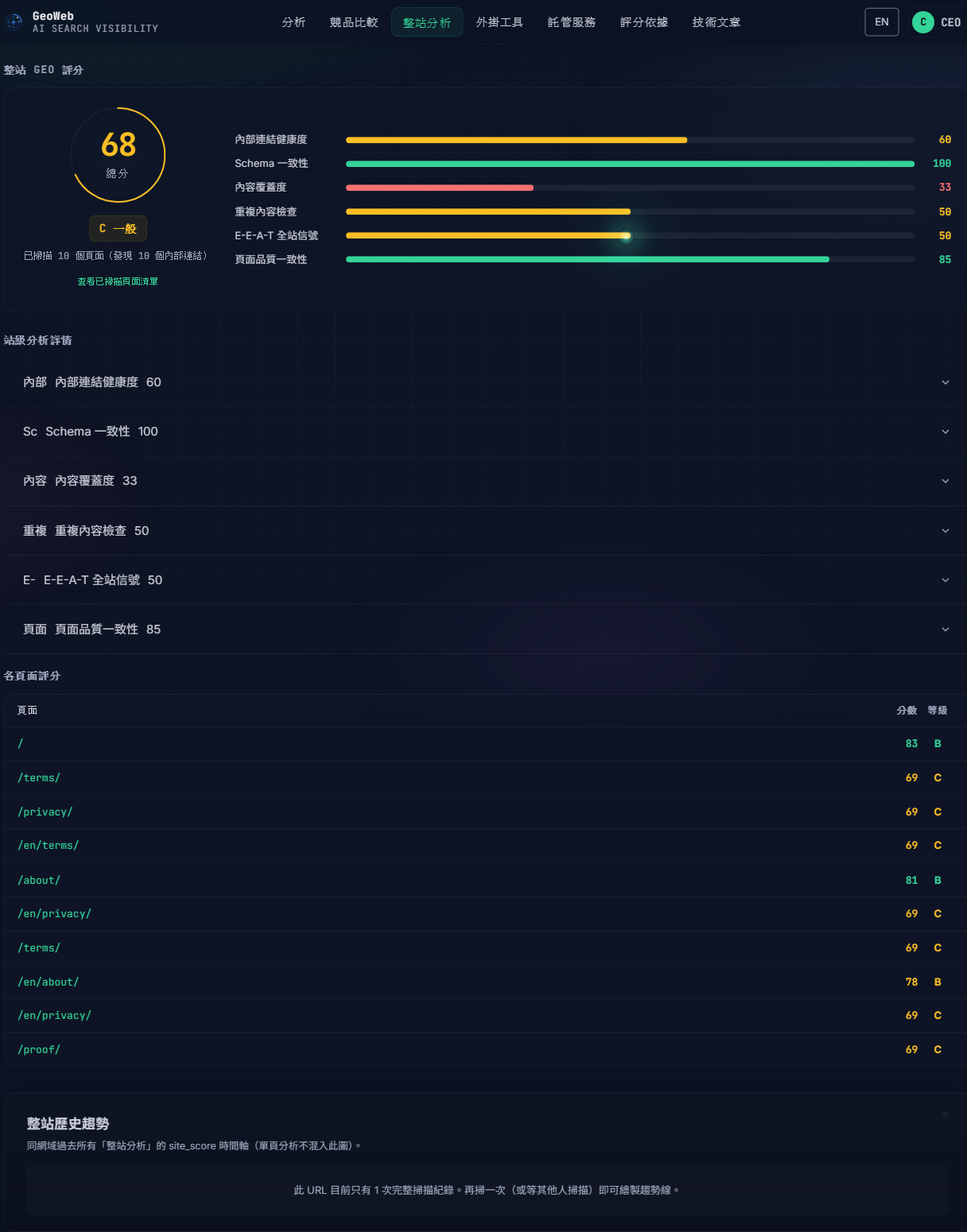
- Site-wide — reads your sitemap and crawls up to 300 pages starting from the shallowest paths, scores each independently, and produces a site-wide average plus per-page comparisons.
If your site has 100 blog posts, single-page analysis only audits one. Site-wide analysis covers the top-level pages that define what your site is — homepage, services, section indexes — then samples within each section, surfacing blind spots like "structured data is only on the homepage, all internal pages miss it".
What gets analyzed
- 12-dimension assessment per page — SEO technical, structured data, E-E-A-T, language naturalness, AI crawler accessibility, citation density, and more.
- Site-wide averages on strengths — which dimensions does your whole site consistently get right.
- Per-page weakness ranking — pages dragging the site average down, in priority order.
- Cross-page consistency — whether the same brand signal (company name, product name, contact info) appears consistently across pages, which is critical for AI engines to resolve brand entity.
Who should use this
- Content site operators — blogs, knowledge bases, media sites where single-page analysis can't reveal site-wide patterns.
- Anyone planning a site-wide GEO refresh — baseline before, validation after.
- Content leads — wanting to know which pages AI engines cite easily vs which get ignored entirely.
How is this different from on-site SEO audit tools
Traditional on-site SEO auditors (Screaming Frog, Sitebulb, etc.) look at technical crawl issues — 404 links, missing meta tags, duplicate content, robots.txt blocks.
Site-wide GEO analysis looks at whether each page is citation-worthy in the eyes of mainstream AI engines — structured data density, E-E-A-T signal strength, content language naturalness, machine-parseable formats (FAQ schema, How-to schema, tables, lists). The two tool classes complement each other; one does not replace the other.
Don't want to do it yourself after reading the report? Our managed GEO service handles it end to end.
FAQ
Why only up to 300 pages?
300 pages is the ceiling for one run — every page goes through the full 12-dimension assessment, so a full 300 takes roughly 20–30 minutes. Larger sites are sampled, which still reveals the site-wide pattern; exhaustive full-site crawls are part of our managed GEO service.
How are the pages chosen?
We read your sitemap and start from the shallowest paths — homepage, service pages, section indexes: the pages that define what your site is. Within each section we then sample, so one section (a blog, typically) can't consume the whole budget. Sites without a sitemap fall back to following internal links from the homepage, still shallowest-first.
What if it missed an important page?
Use the single-page analysis tool on that URL separately. Site-wide analysis is for spotting overall patterns; per-page depth comes from the single-page tool.
How long does the whole run take?
It depends on the size of the site: a small site finishes in minutes, a full 300 pages takes roughly 20–30 minutes. Each page runs the full 12-dimension assessment, which is slower than a single-page check. Progress shows "N of M pages analyzed" throughout, so you can tell it hasn't stalled.
Do I need to log in?
Yes — and site-wide analysis is an advanced feature enabled per account. Contact [email protected] or book a demo at the bottom of this page to get access; once enabled you can run it once per day. Free accounts can use the single-page check meanwhile.
Can I see per-page scores?
Yes. The report lists each page's GEO score plus the site-wide average, and highlights the pages dragging the average down.